
Force Sensor vs Pressure Sensor
Are you unsure whether to use a force sensor or a pressure sensor for your project? This article explains their core differences, working principles, common confusion points, and typical applications. It also provides a quick selection table covering temperature, humidity, EMI, and other environmental factors.
What Are Force Sensors and Pressure Sensors?
The easiest way to understand the difference between a force sensor and a pressure sensor is to look at this table:
| Aspect | Force Sensor | Pressure Sensor |
| What it measures | Total force (push or pull) – regardless of how large or small the contact area is | Force per unit area– how hard something is pressing on each square inch/cm |
| Common units | Newton (N), kilogram (kg), pound (lbf) | Pascal (Pa), bar, psi (pounds per square inch) |
| Everyday example | A bathroom scale – it tells your total weight, no matter if you stand on one foot or two | A tire pressure gauge – It tells the air pressure inside, which is force divided by the tire’s inner area |
| Think of it as | "How much total push?" | "How concentrated is the push?" |
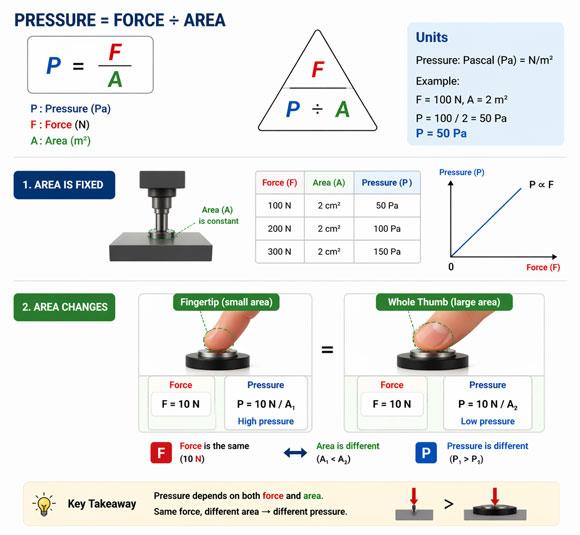
The simple formula that connects them:
Pressure = Force ÷ Area (P = F / A)
- If you know the force and the area, you can calculate pressure.
- If the area is fixed (e.g., a stamping press with a constant-size punch), the readings from a force sensor and a pressure sensor are proportional, which is why people sometimes confuse them.
- If the area changes (e.g., pressing a button with your fingertip vs. your whole thumb), force and pressure become independent. A force sensor gives the same reading regardless of finger size; a pressure sensor gives a different reading because the area changes.
In one sentence:
- Force sensor = total push/pull (independent of area)
- Pressure sensor = how hard the push is per unit area (depends on area)
How Do Force Sensors and Pressure Sensors Measure Differently?
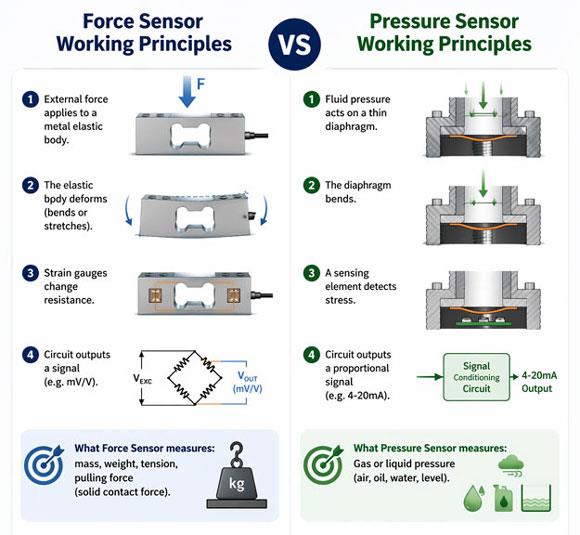
Although both sensors rely on mechanical deformation, their internal designs and measurement philosophies differ. The table below summarizes the key differences.
| Aspect | Force Sensor | Pressure Sensor |
| What it directly measures | Total force (N, kg, lbf) | Pressure – force per unit area (Pa, bar, psi) |
| Common technology types | Strain gauge (metal foil), piezoelectric, capacitive | MEMS piezoresistive, ceramic capacitive, strain gauge diaphragm |
| Working principle | Force deforms an elastic body (or crystal); strain gauges change resistance (or charge is generated); circuit outputs a signal | Fluid/gas pressure bends a thin diaphragm; the sensing element changes value; the circuit outputs a proportional signal |
| Typical output signals | mV/V, 4-20mA, 0-10V, RS485, Modbus | mV/V, 4-20mA, 0-10V, HART, RS485, I2C |
| Dynamic response | Strain gauge: millisecond (static/slow) Piezoelectric: microsecond (dynamic/impact) | MEMS: ~1ms (general) Piezoelectric: microsecond (high-frequency pulsations) |
| Temperature sensitivity | Strain gauge: significant drift without compensation Piezoelectric: pyroelectric effect | Silicon piezoresistive: high drift (~0.1%/°C) Ceramic capacitive: low drift |
| Overload capacity | Maximum overload: 150% FS Piezoelectric: thousands of times | Silicon: 2-3x FS Ceramic: 5-10x FS |
| Mounting style | In-line compression or tension (requires mechanical alignment) | Thread or flange connection (pipe, tank, or manifold) |
Bottom line: Even if both output 4-20mA or digital signals, they are not interchangeable. Always start with what you need to measure.
Why Do People Confuse Force Sensors with Pressure Sensors?
Confusion happens for several practical reasons:
- Everyday language: In common speech, we say "apply pressure to a button" when we actually mean "apply force." This blurs the technical distinction.
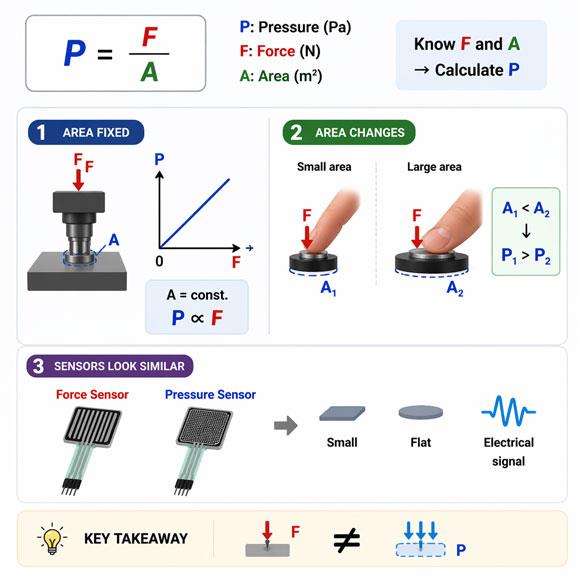
- Fixed-area scenarios: When the contact area is constant (e.g., a stamping press with a fixed-size punch), force and pressure are proportional (F = P × A). People mistakenly think they are the same thing.
- Similar appearance: Both sensors can be small, flat, and produce electrical signals. In tactile sensing (e.g., robotic skin), flexible force sensors and flexible pressure sensor arrays look almost identical.
- Wrong selection leads to bad data: If you use a pressure sensor to measure button press force, the reading will change depending on finger size (area changes). If you use a force sensor to monitor air pressure in a pipe, you cannot obtain pressure without knowing the exact internal area – and even then, the sensor isn’t designed for fluid sealing.
Remember this rule:
- Force sensor answers: "How much total push/pull?"
- Pressure sensor answers: "How hard is it pushing per square inch?"
What Are Typical Applications of Force and Pressure Sensors?
Here are a few typical products from our ATO store. The tables below show key features and common applications for each sensor type.
Typical Applications of Force Sensors:
| Product | Key Features | Typical Applications |
| Range: Available from 2.5 kg to 50 kg;1.0 ~ 2.0 mV/V;Up to 1 kHz | Thin‑film tension measurement and control |
| Range: Available from 0‑1/2/3/5 ton;1.5 ~ 2.0 mV/V;±0.5% F.S;-20 °C ~ +80 °C | Battery equipment force measurement; New energy projects |
| Range: Available from 0‑10 kg, 0‑20 kg, and 0‑100 kg; Long service life under repeated use | Hand strength testing; Ergonomic assessment |
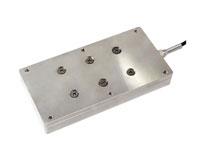
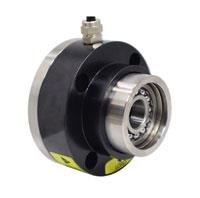
Typical Applications of Pressure Sensor:
| Product | Key Features | Typical Applications |
| Range: -100-100kPa,12-36V supply, 4-20mA/RS485 | HVAC air pressure monitoring, filter differential pressure measurement |
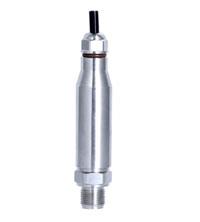
| Range: 0.1–60MPa,-20°C to +350°C,outputs 4-20mA, HART, RS485 | High-temperature steam pressure control, fuel oil pressure measurement in hazardous areas |
| Range: 0.001 to 60 MPa,RS485 or 4-20mA for flexible integration,0.25%FS or 0.5%FS | Industrial automation (hydraulic/pneumatic systems), environmental monitoring (water level, tank pressure) |
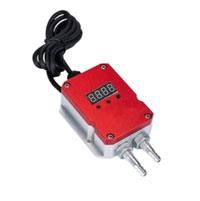
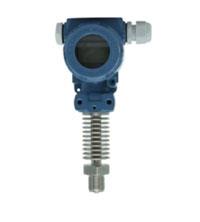
Which Force or Pressure Sensor Is Right for Your Project?
One-sentence rule: Identify whether you are measuring a total force or a fluid/gas pressure. Then check the table below for environmental conditions.
| Your Need / Operating Condition | Recommended Sensor | Why |
| Measure total force (weight, clamping, impact, tension) | Force sensor | Directly outputs total force; independent of contact area |
| Mounting in force path (press, fixture, tension link) | Designed for axial force transmission | |
| Measure pressure (water, air, hydraulic circuits) | Pressure sensor | Measures force per unit area; works with fluids/gases |
| Mounting on a pipe or tank | Thread or flange connection; designed for fluid systems | |
| Strong EMI (near motors, VFDs, welders) | Current loop: highly immune (to noise); force sensor's mV signal: more susceptible | |
| High humidity, outdoor, underwater | Pressure sensors are routinely sealed for fluid environments | |
| High-frequency dynamic (>100 Hz, e.g., impact, vibration) | Piezoelectric type (force or pressure) | Microsecond response; choose based on whether you need force or pressure |
| High temperature (>80°C) | Ceramic capacitive pressure sensor (preferred) or temperature-compensated force sensor | Excellent high-temperature stability; ceramic capacitive has low drift |
| Frequent overload risk | Piezoelectric force sensor or ceramic capacitive pressure sensor | High overload tolerance (piezoelectric: thousands of times; ceramic: 5-10x FS) |
Conclusion
Force sensors and pressure sensors are not interchangeable. The choice starts with one simple question: Are you measuring total force or pressure? Once you answer that, consider environmental factors like temperature, humidity, EMI, and mounting to pick the right sensor for your project. If you still have a specific application in mind, run it through the decision table above – you’ll find your answer in seconds.